



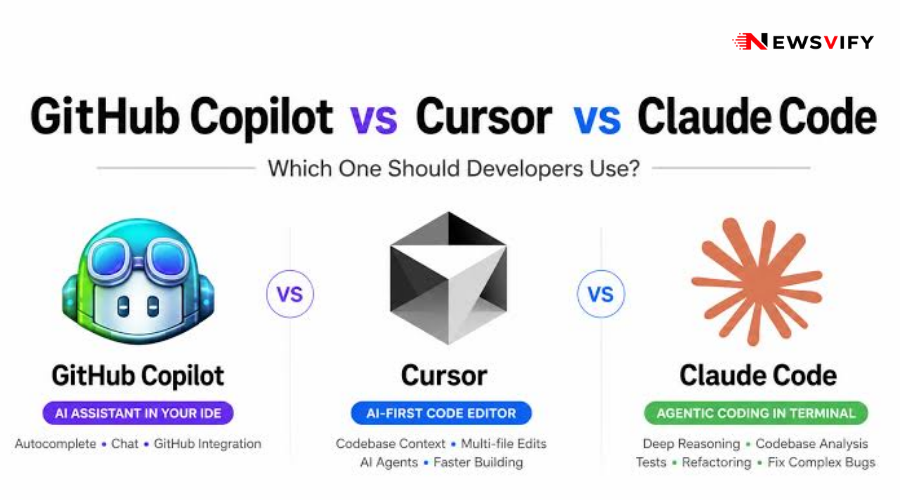
AI-assisted development has moved well past simple autocomplete, and figuring out the best ai coding assistants 2026 has to offer now means comparing tools that can plan, refactor, and even run multi-step coding tasks with minimal hand-holding. Whether you’re a solo developer or evaluating tools for a whole team, here’s how the major options actually differ in daily use.
How to Approach an AI Coding Tools Comparison 2026
A useful ai coding tools comparison 2026 starts with matching the tool to your workflow rather than chasing whichever benchmark score is trending that week.
| Factor | Why It Matters | What to Check |
|---|---|---|
| Editor integration | Determines how naturally the tool fits your workflow | Native IDE support vs. plugin-based |
| Context window / codebase awareness | Affects how well it understands your full project | Whether it can reference multiple files at once |
| Autonomy level | Ranges from suggestions to fully agentic task execution | Can it run terminal commands or just suggest code? |
| Pricing model | Affects cost at team scale | Per-seat vs. usage-based pricing |
Github Copilot Alternatives Worth Considering
GitHub Copilot popularized AI-assisted coding, but it’s no longer the default choice by necessity — several github copilot alternatives have caught up or pulled ahead on specific capabilities.
- IDE-native tools built specifically around AI assistance tend to offer deeper codebase understanding than plugin-based Copilot alternatives.
- Agentic tools that can execute multi-step tasks — not just suggest single lines — represent the biggest capability jump among newer github copilot alternatives.
- Team-focused alternatives increasingly include shared context and review features aimed at collaborative codebases, not just individual productivity.
- Open-model-based alternatives appeal to teams with strict data governance requirements that rule out sending code to certain third-party services.
Claude Code vs Cursor: A Direct Comparison
Among the most-discussed matchups in any serious claude code vs cursor comparison is the difference between an agentic, terminal-native assistant and an AI-first code editor.
- Claude Code operates more like an autonomous collaborator that can plan and execute multi-step coding tasks directly in your terminal and existing workflow.
- Cursor takes an editor-first approach, embedding AI assistance directly into a familiar IDE experience with strong inline suggestion and chat features.
- Task complexity is where the claude code vs cursor comparison tends to diverge most — larger, multi-file refactors often favor a more agentic approach, while quick inline edits favor an editor-integrated tool.
- Learning curve differs too; developers already comfortable in the terminal often prefer Claude Code’s workflow, while those who want to stay entirely within an IDE tend to prefer Cursor.
Choosing the Right Assistant for Your Team
The best ai coding assistants 2026 offers aren’t a one-size-fits-all decision — a solo developer’s needs look very different from a larger engineering team’s. It’s worth reading how these tools intersect with AI’s growing role in search and content, covered in our piece on AI search optimization, since many of the same underlying models power both coding assistants and content tools.
If your team is evaluating AI tools more broadly beyond just development, our roundup of the best AI marketing tools for small businesses covers the non-technical side of the same AI adoption wave.
And since the underlying models behind these coding assistants keep shifting, our Claude AI vs ChatGPT vs Gemini comparison is a useful companion read for understanding the model differences driving tools like Claude Code under the hood.
Conclusion
There’s no single winner among the best ai coding assistants 2026 offers — the right pick depends on how autonomous you want the tool to be and how it fits into your existing workflow. Whether you’re exploring github copilot alternatives or weighing claude code vs cursor specifically, the smartest approach is testing a couple of options on real work rather than picking based on benchmarks alone.




